Fonts
A growing collection of fonts ported to the Nintendo 3DS.
Never uninstall CFW while a custom font is installed. This will fully brick your console! If this happens you’ll need a DS flashcart with ntrboot to re-install boot9strap.
It is recommended you create a NAND backup before installing custom fonts as you will be modifying system files. Doing so is safe since boot9strap provides brick protection but it is still recommended that you make a backup. If your home menu fails to launch after installing a custom font, view Removing a Custom Font.
How to Install a Font
- Put a downloaded
.ciafile on your (micro)SD Card. - Turn your 3DS on while holding the
Startbutton to open GodMode9. - Navigate to your SD Card, then to where your put your
.ciaand select it. - Select
CIA image options...thenInstall game image. - Press
Auntil you are back on the main menu, then pressStart.
Your system should reboot with your custom font installed.
Removing a Custom Font
To remove a custom font, download the original System Font and reinstall it using the same installation method as above.
Recently Added Fonts
Gallery
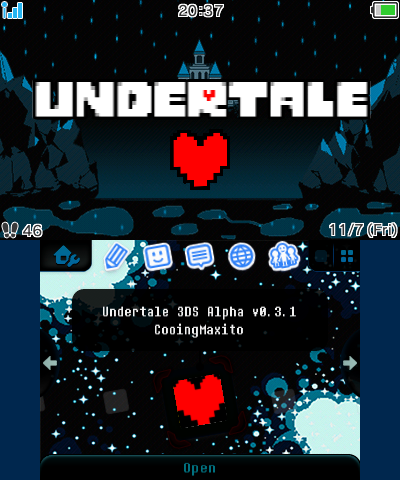
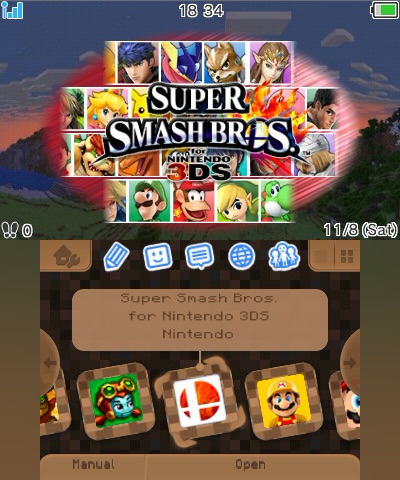
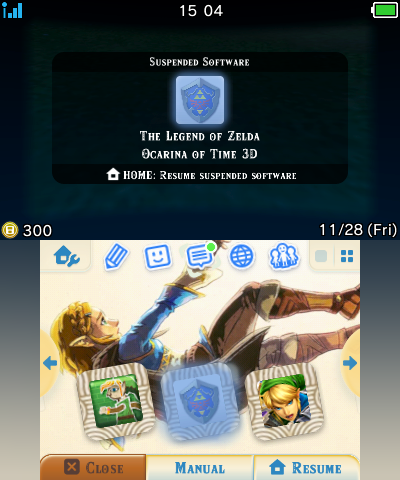
Themes used (in-order):
Undertale Waterfall • Minecraft Panorama • The Final Fall
Custom Font Compatibility
Please be aware that custom fonts overwrite the system font. Games that use the system font will instead display your installed custom font, this may cause issues in certain games.
Here is a list of some apps and games that use the system font for text in-game:
- Streetpass Mii Plaza
- Settings
- Tomodachi Life
- Miitopia
- Pilot Wings
- Super Mario Maker
- Chibi-Robo Photo Finder
- Kid Icarus Uprising
- Dillon’s Dead-Heat Breakers
Not every game is listed here, you may encounter your own issues, if you do please let us know by creating an issue on the GitHub repository.
Additional Info and Thanks
Create your own fonts for your 3DS by following AromaKitsunes Guide!
This guide was used to create all the fonts available on this site, AromaKitsune was also nice enough to allow their created fonts to be uploaded onto this site, so big shoutout to them! For more info and support about creating your own fonts for 3DS, or other 3DS customization, join the “Custom 3DS Assets” Discord Server.
Special Thanks
- AromaKitsune - Made the custom font guide and inspired me to port some fonts.
- OctoRuler - Helped with testing and the font compatibility issues section.
- 3DSAspect - Provided Mojangles font and images.
- The “Custom 3DS Assets” Server - Everyone over here is super nice, helpful, and patient. It’s a small (and kinda quiet) server, but it’s full of great people!